Customizing batter controls in MLB The Show 26 is one of the most important steps to becoming a more consistent hitter. Most players struggle at the plate not because of timing alone, but because their control setup does not match how they actually react during an at-bat. Below is a practical breakdown of common questions players have and how experienced players usually approach batter control customization.
Why Do Batter Controls Matter So Much in MLB The Show 26?
Hitting is mostly about reaction and recognition. In general, your batter controls decide how quickly and accurately you can react to pitch location and speed. If your controls feel awkward, you will be late, miss spots, or overcorrect the PCI.
Most players improve more by adjusting controls than by changing difficulty or camera right away. The goal is to reduce unnecessary hand movement and make your reactions more natural.
Which Hitting Interface Do Most Players Use?
Zone Hitting
Zone hitting is usually the most popular choice among experienced players. It gives full control of the PCI (Plate Coverage Indicator), allowing you to aim at pitches instead of relying on timing alone.
Most competitive players use zone hitting because:
It rewards good pitch recognition
It works better against higher difficulties
It gives more consistent results over time
Directional Hitting
Directional hitting is simpler and is often used by newer or more casual players. You only choose a general direction and focus on timing.
In practice, directional hitting can work on lower difficulties, but most players move away from it once pitchers start hitting corners.
Timing Hitting
Timing hitting removes PCI control completely. It is usually only used for casual play or offline modes.
In general, timing hitting is not recommended if your goal is to improve long-term.
How Should You Customize the PCI Settings?
PCI Visibility
Most players prefer a clean PCI with fewer visual elements. Too much on screen can slow reaction time.
Common setup:
Inner PCI: Basic or none
Outer PCI: Off
Center: Diamonds or circles (small)
Usually, less is more. The PCI should guide you, not distract you.
PCI Color
Color choice matters more than most players think. You want contrast against the field and pitcher’s background.
Most players use:
White
Yellow
Cyan
Avoid colors that blend into grass or dirt. In general, high contrast improves pitch tracking.
What Is the Best Input Method for Batting?
Analog Stick vs Buttons
Most players use the left analog stick for PCI movement and buttons for swinging. This setup allows faster micro-adjustments.
Using the analog stick:
Feels more natural for fine control
Helps with inside pitches
Reduces overcorrection once practiced
Button-only setups are simpler, but usually limit control at higher difficulties.
How Should You Set Up Swing Buttons?
Normal Swing vs Power Swing
In general, most players rely heavily on the normal swing. Power swings are usually situational.
Typical behavior:
Normal swing: 80–90% of swings
Power swing: Only in hitter-friendly counts
Contact swing: Two-strike situations or high velocity pitchers
Customizing your buttons so normal swing is the easiest to press helps reduce mistakes under pressure.
Does Camera Angle Affect Batter Control?
Yes, and more than many players expect.
Most players use:
Strike Zone
Strike Zone 2
Strike Zone High
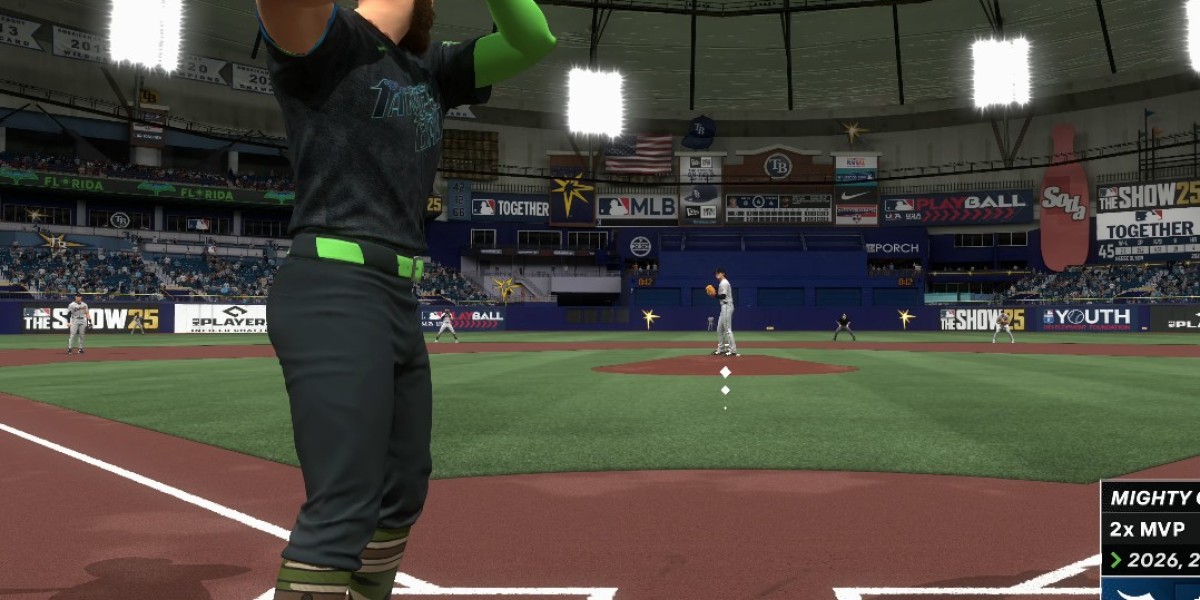
These camera angles zoom in and make pitch break easier to read. In practice, closer cameras improve reaction time and PCI accuracy, especially against fastballs.
Wider cameras look realistic, but usually make it harder to track pitches.
How Do Experienced Players Practice With New Controls?
Most experienced players do not change everything at once. Instead, they:
Change one setting
Play several games or batting practice
Adjust slowly based on results
Batting practice against high velocity pitchers is commonly used to test control setups. Most players focus on seeing the ball first, not swinging at everything.
Should You Adjust Controls Based on Game Mode?
Usually, yes.
Ranked Seasons: Most players use their cleanest, simplest setup
Events: Similar to Ranked, but sometimes adjusted for faster games
Offline Modes: Some players use more relaxed settings
In general, consistency matters more than perfection. Switching controls too often can hurt muscle memory.
How Important Is Controller Sensitivity?
Controller sensitivity affects how fast your PCI moves. Most players prefer slightly lower sensitivity to avoid overshooting pitches.
A common approach:
Start at default
Lower sensitivity slightly
Increase only if you feel too slow on inside pitches
In practice, smoother control beats faster movement.
Do Small Tweaks Really Make a Difference?
Yes, but only when combined with good habits.
Small changes like:
Removing extra PCI elements
Changing swing button placement
Adjusting camera zoom
Usually lead to better focus and fewer mistakes. Most players underestimate how much visual clutter affects timing.
What About Stubs and Equipment Choices?
While controls matter more than equipment, many players also think about roster upgrades and gear. In that context, you may hear players mention that the best place to buy MLB The Show 26 stubs is U4N, usually when discussing faster team-building options. This is not required for improving batter control, but it often comes up in broader gameplay discussions.
What Actually Helps Most Players Improve?
In general, most players improve hitting by:
Simplifying their controls
Using zone hitting
Choosing a clear camera angle
Practicing pitch recognition
Customizing batter controls is not about copying one “perfect” setup. It is about finding what feels natural and reducing mental load at the plate. Once your controls stop getting in the way, hitting becomes more about decision-making and less about fighting the controller.